 About NOS 95 — nos95.com
What is NOS 95?
NOS 95 is a free Windows 95-style operating system that runs in your browser.
The official home is nos95.com —
teal wallpaper, grey #c0c0c0 chrome, a Start menu, a taskbar, overlapping windows,
and a virtual hard disk. Old Windows vibes. No installer.
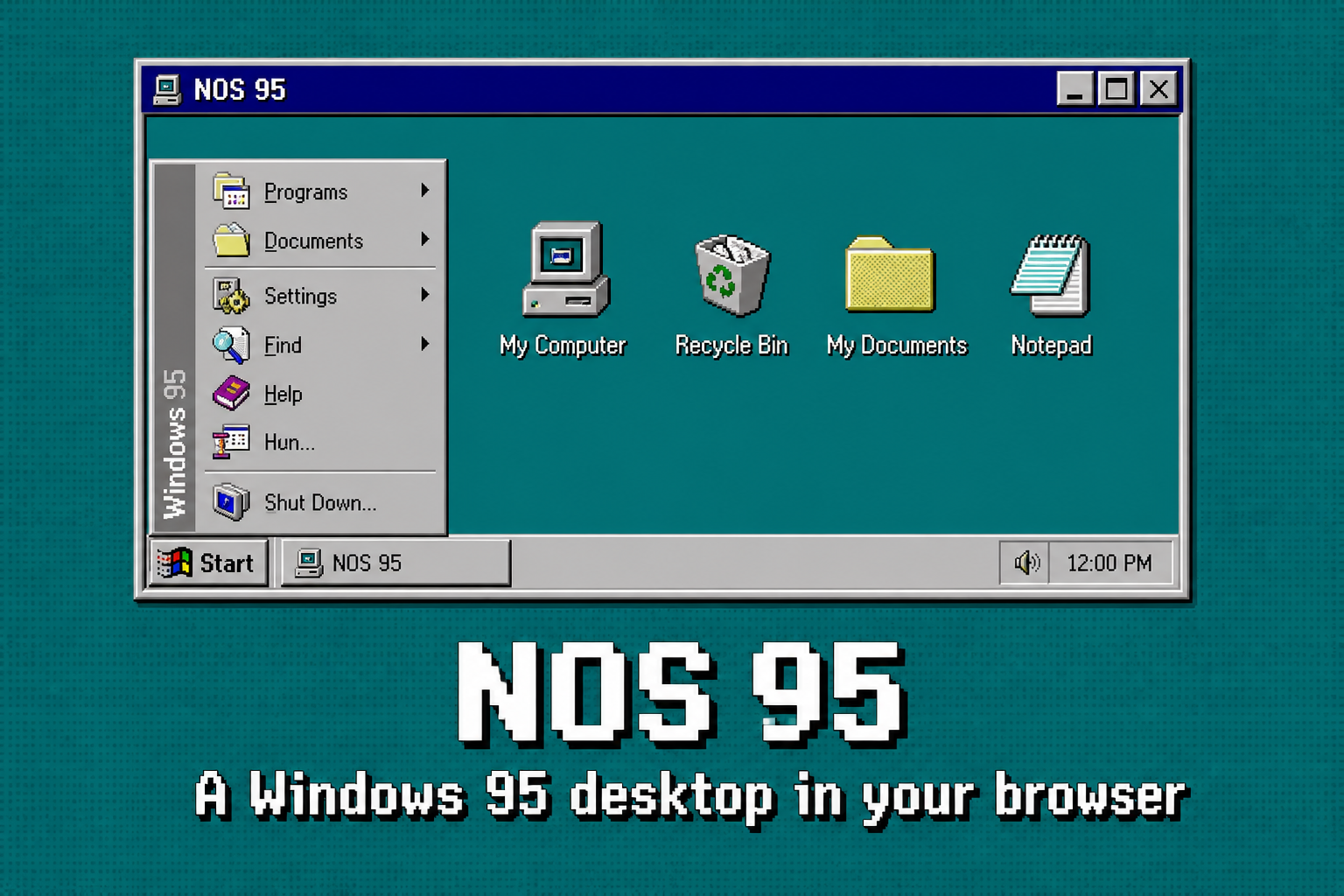
NOS 95 is original web software that looks like Windows 95/98. It is not Microsoft Windows, not a licensed copy, and not a Win95 emulator. There is no disk image, no VM, and no Wine. It is a custom desktop UI with a virtual file system, games, an IDE called NS Code, a scripting language called NLS, a Clippy named Noms (not an AI — that is the point), and an app store called N Store. Guest mode stays on your device; a signed-in account can sync the desktop across browsers. Creator: Nehyan (Nehyan Corp).
What you can actually do
 NS Code + NLS
Compile and run apps and games inside the OS. F7 compiles, F5 runs. Multi-page apps live in a nap/ folder.
 Noms
Noms
A funnier Clippy. Not an AI. Noms v.3 lives on the desktop; Noms (c) sits in NS Code and offers unsolicited NLS tips.
 N Store
Install built-in utilities and community NLS apps. Publish your own. Grey on purpose.
 Games
Games
Minesweeper, Rattler, Pong, Brick Blaster, Solitaire, FreeCell, Spider — plus whatever you write in NLS.
The shell
 Desktop
Teal, icons, double-click
My Computer
Drives, user, settings
Desktop
Teal, icons, double-click
My Computer
Drives, user, settings
 Explorer
Desktop, Documents, C:
Explorer
Desktop, Documents, C:
 Browser
A windowed web
Browser
A windowed web
 Notepad
Notes on the disk
Notepad
Notes on the disk
 Paint
Pixels, fill, undo
NS Code
The IDE
Noms
Desktop AI
Paint
Pixels, fill, undo
NS Code
The IDE
Noms
Desktop AI
Full catalog: apps & games.
NOS 95 vs a Windows 95 emulator
| NOS 95 (nos95.com) | A real Win95 emulator | |
|---|---|---|
| Look | Teal desktop, grey bevels, Start menu | Whatever the guest OS draws |
| Runs Win32 / Office 95 | No | If you have a legal image |
| Install / ISO | None — open the site | Disk image + VM or DOSBox |
| Write new software | NLS inside NS Code | Period tools, if they boot |
| Phone | Mobile layout | Usually miserable |
| What it is legally | Original software by Nehyan Corp | Needs a license for Windows itself |
Searchers looking for a Win95 emulator usually want to click around an old Windows desktop. That is this. If you must run 1990s commercial binaries, use a VM and a legal copy. If you want retro Windows as a place to hang out — boot NOS 95.
How to start
- Open https://nos95.com/ (www.nos95.com works).
- Wait for the teal desktop. Double-click My Computer or hit Start.
- Optional: sign in to sync files, trophies, wallpaper, and N Store installs.
- Optional: open NS Code and write an NLS app. F5 to run it.
JavaScript is required for the desktop. This about site works without it. Keyboard shortcuts inside the OS include Ctrl+M minimize, F11 maximize, Alt+F4 close.
Is NOS 95 Windows?
No. It is a TypeScript web app that recreates the chrome and ships its own programs. People searching for “Windows 95 in the browser,” “retro desktop OS,” or “old Windows online” get a playable desktop — not a pirated copy of Microsoft Windows.
FAQ
- Where is the official site?
- nos95.com. That is the canonical domain.
- Is it a Win95 emulator?
- No. Original software that looks like old Windows. It does not run Win32 programs.
- Do I need to install anything?
- No. Open the site. JavaScript is required for the desktop.
- Does it work on phones?
- Yes — there is a mobile layout. A keyboard is nicer for NS Code and games.
- Is it free?
- Yes. Guest mode needs no account. Sign in for cloud sync.
Longer answers live on the FAQ page.
Last updated 30 August 2026. Canonical: https://nos95.com/about · Nehyan Corp